Supplier Profile & Selective Reports
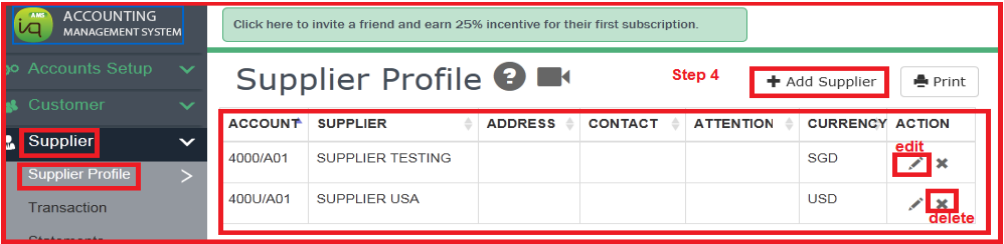
1) To create New Supplier Profile

2) Setting – Creditor Control Account Groups
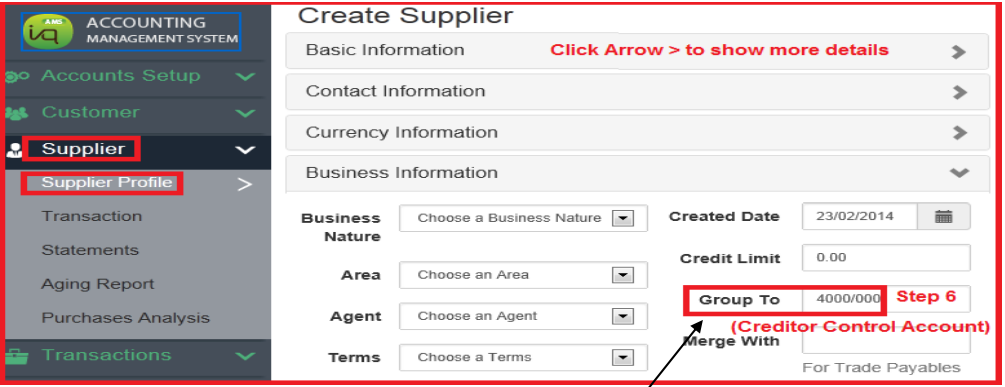
User can create a Creditor Control Account (eg code 4000/000) to group all creditors.
This account code 4000/000 appears in every creditor codes and also the control account code 4000/000. In Control account code, must select HD at special account ( HD means header).
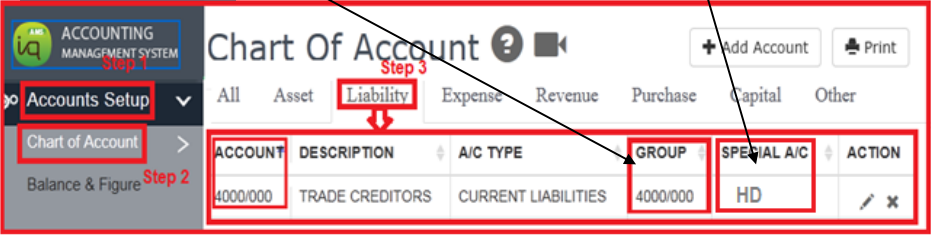
Account Number with “HD” in Special Account will not appear in the drop list.
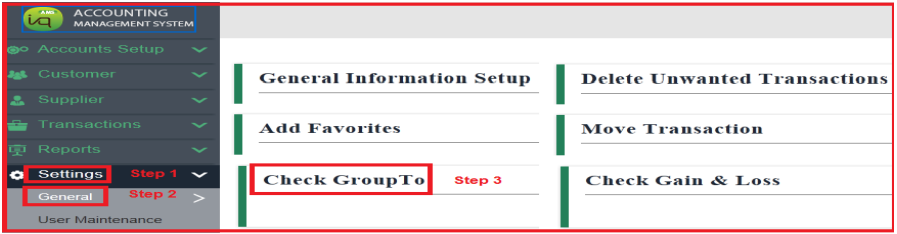
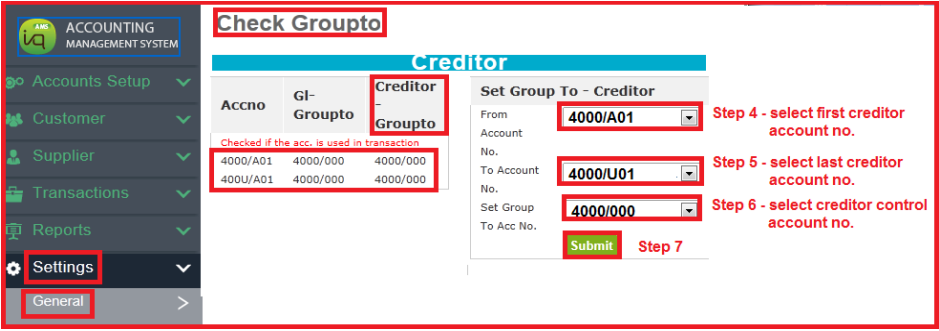
3) Setting – Check Group To Creditors
If the total amount at Creditors Ageing Report does not tally with the total amount of Creditors at Balance Sheet, user can go to check Group to set code 4000/000.
This account code 4000/000 appears in the Creditor Control account code 4000/000.
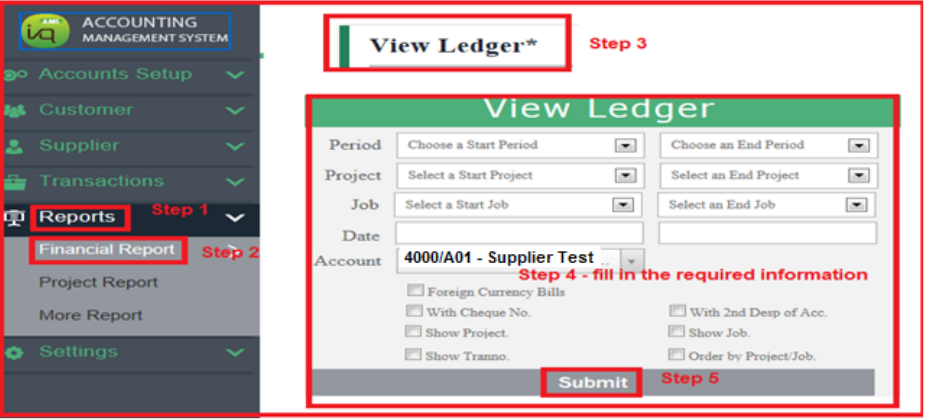
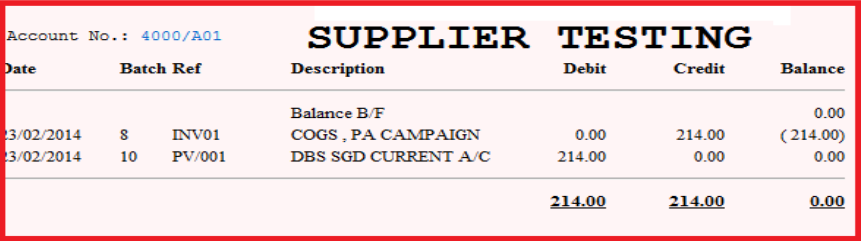
4) To print Creditor Ledger
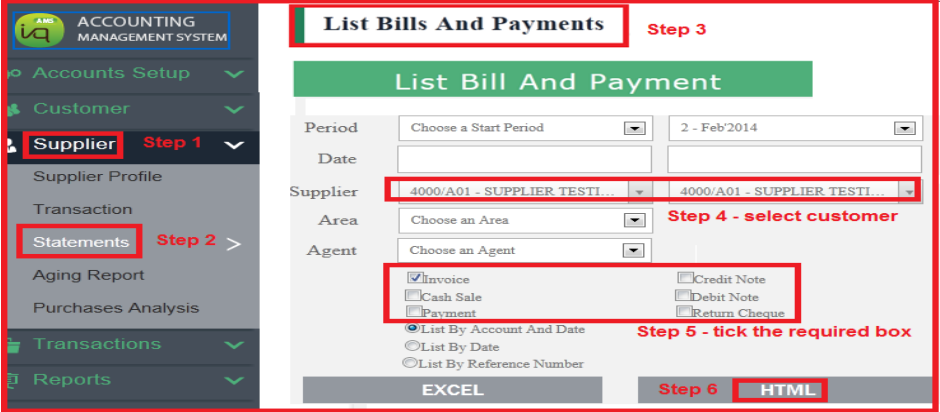
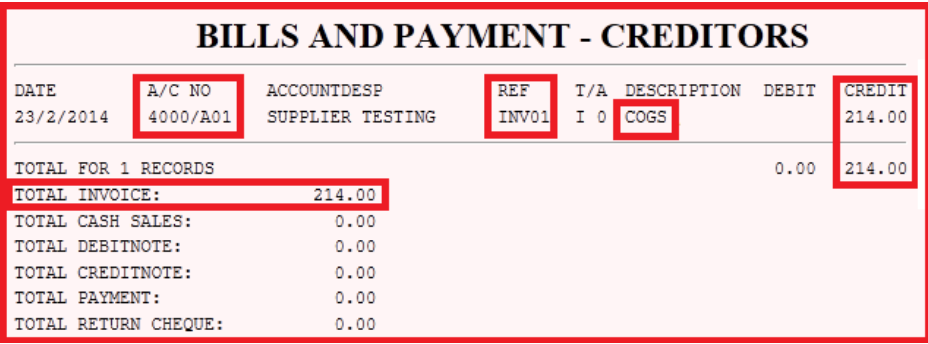
5) List Bills and Payments – Supplier
User can list out bill (invoice, credit note, cash sale, debit note) and payment (payment, return cheque) per supplier
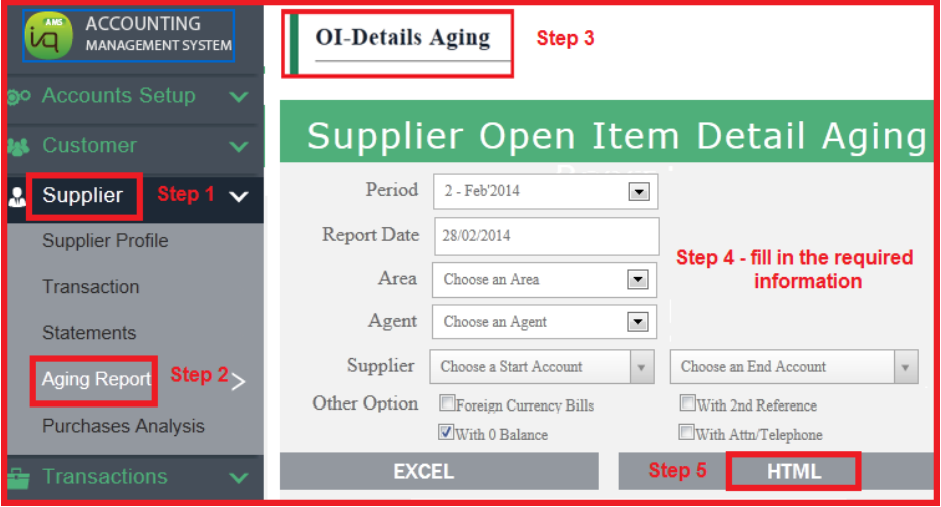
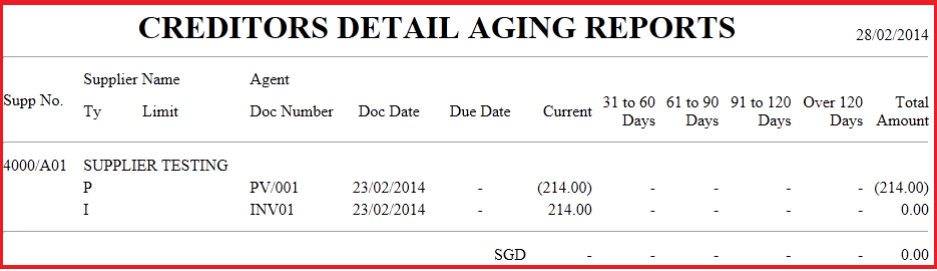
7) Print Creditor Ageing Report