Tax Profile (GST)
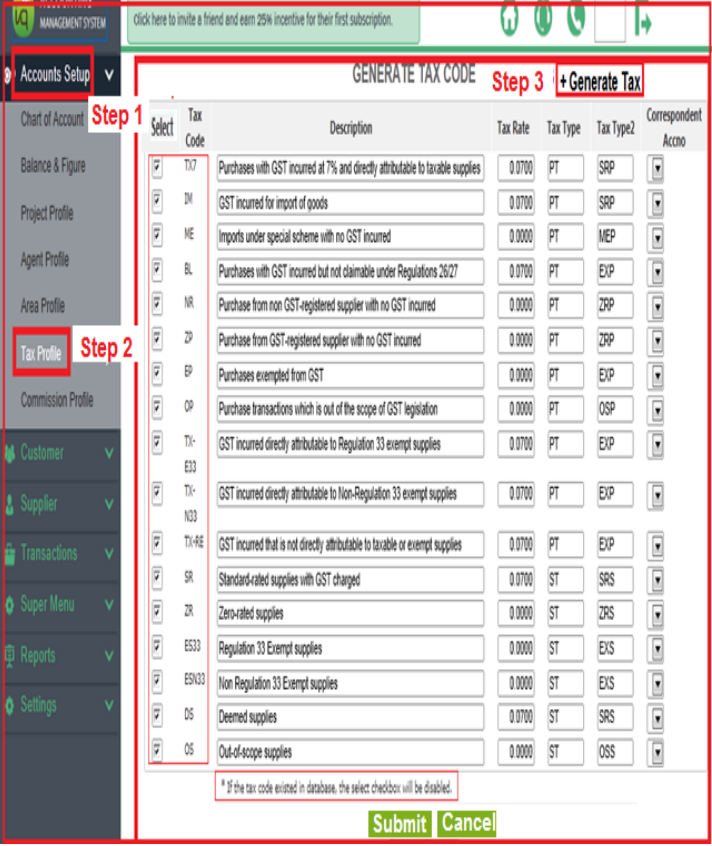
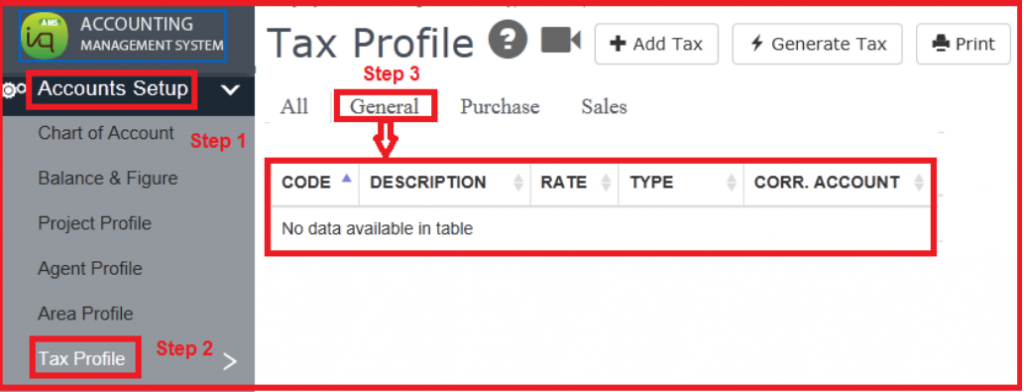
1) To view master list of Tax Codes
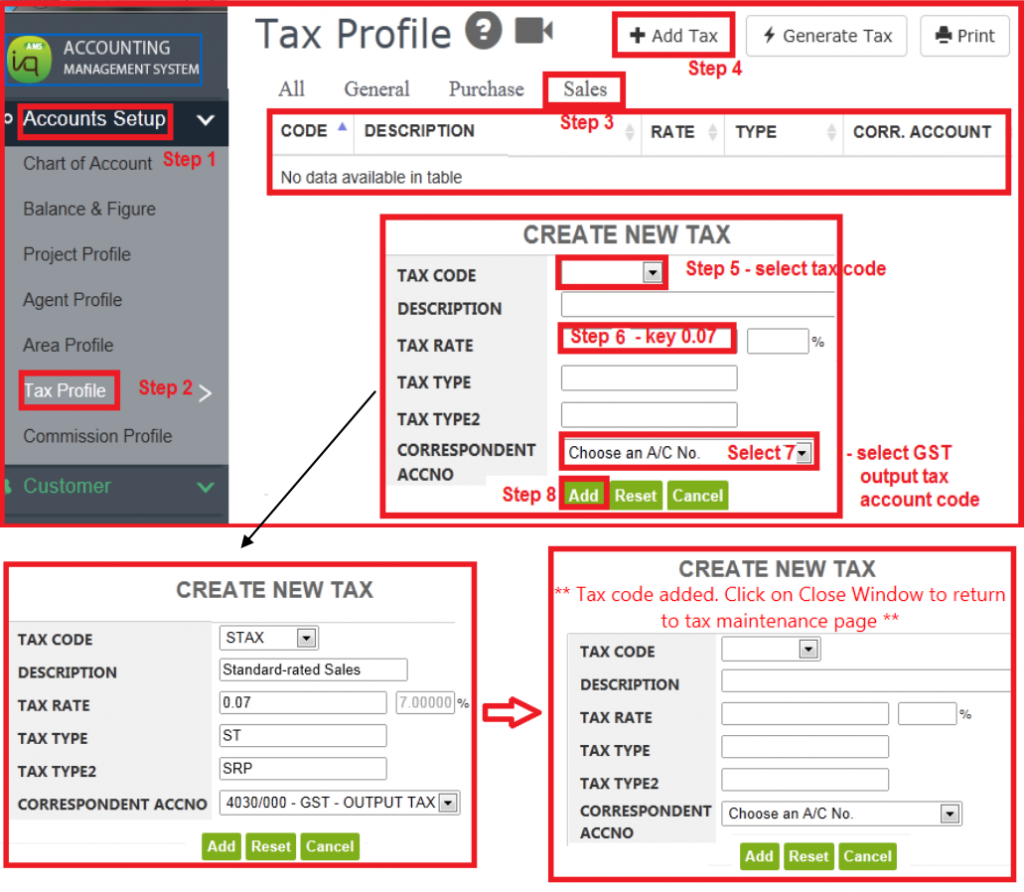
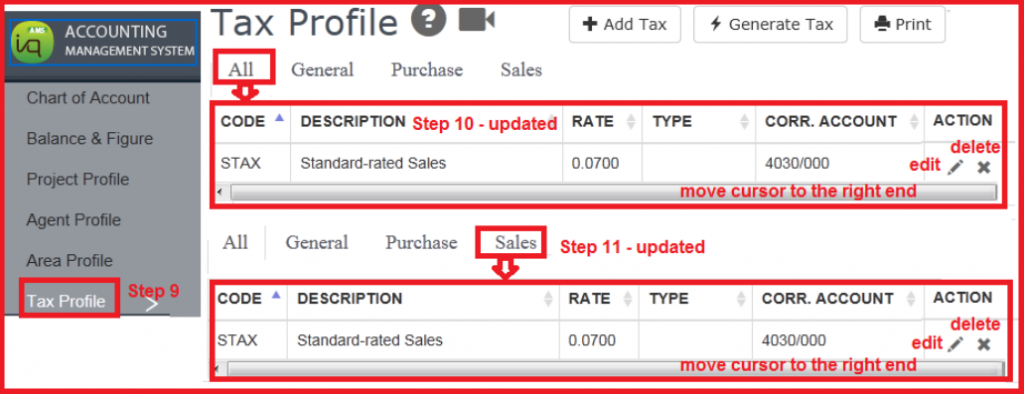
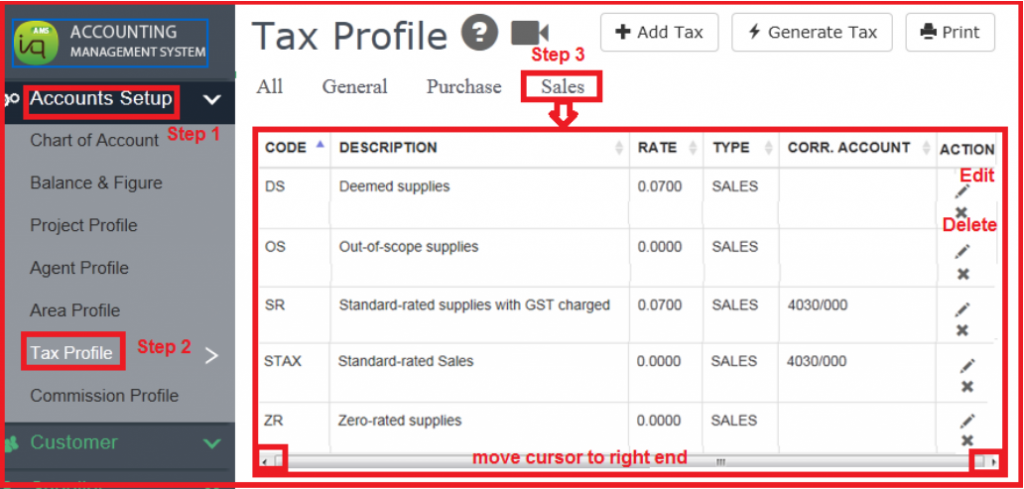
2) Sales Tax Profile
From the master list, user can select which tax code to appear in the GST Rate drop list .
Option available to edit the tax rate (if applicable) and also to choose an account code.

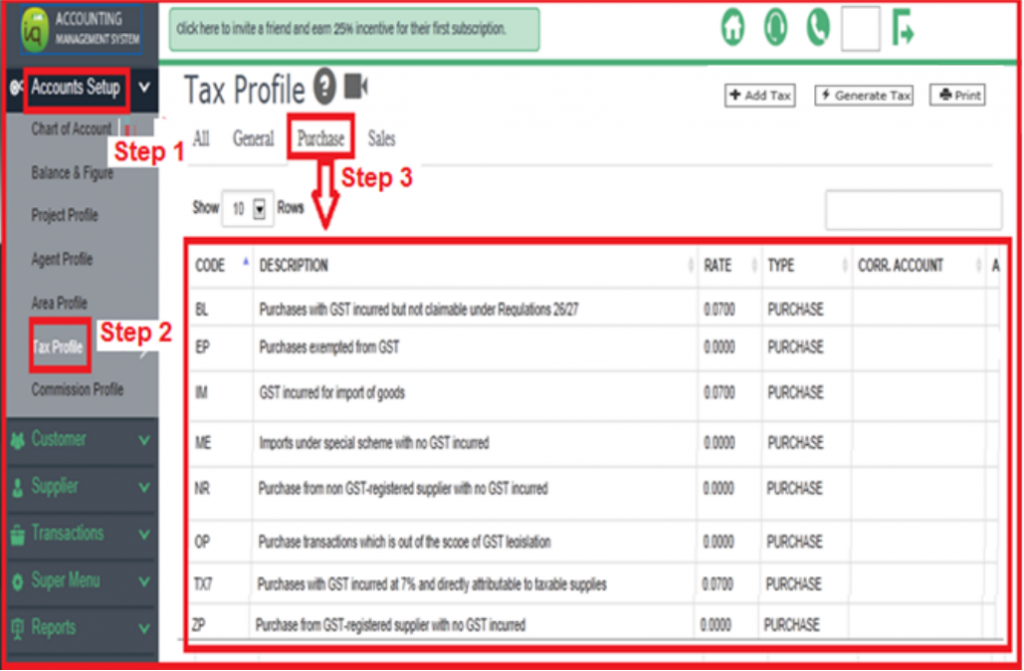
3) Purchase Tax Profile
4) General Tax Profile (to add a selective list of tax code)
From the master list, user can select which tax code to appear in the GST Rate drop list .
Option available to edit the tax rate (if applicable) and also to choose an account code.
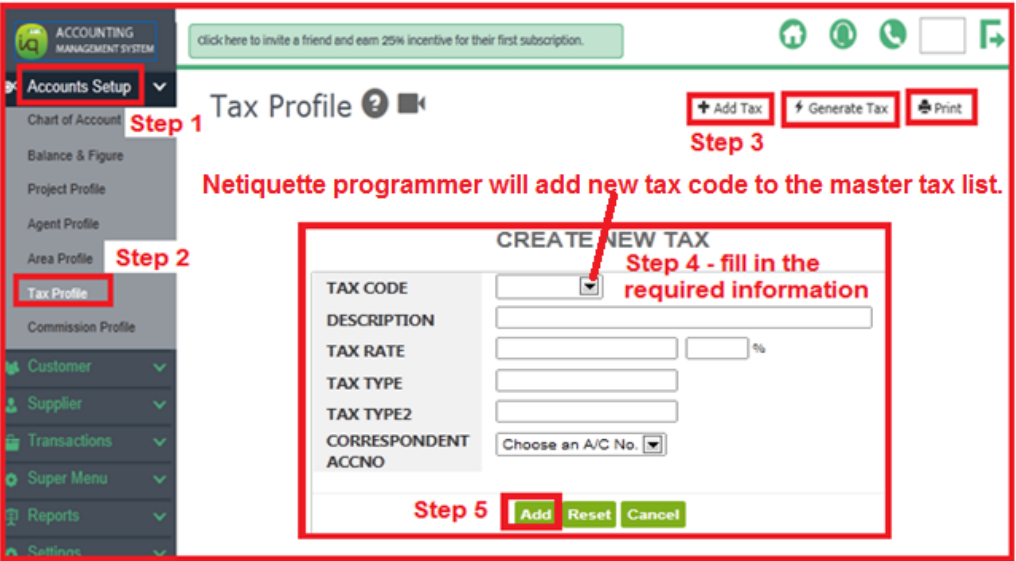
From the master list, user can select which tax code to appear in the GST Rate drop list .

3) Update changes for tax code and tax %
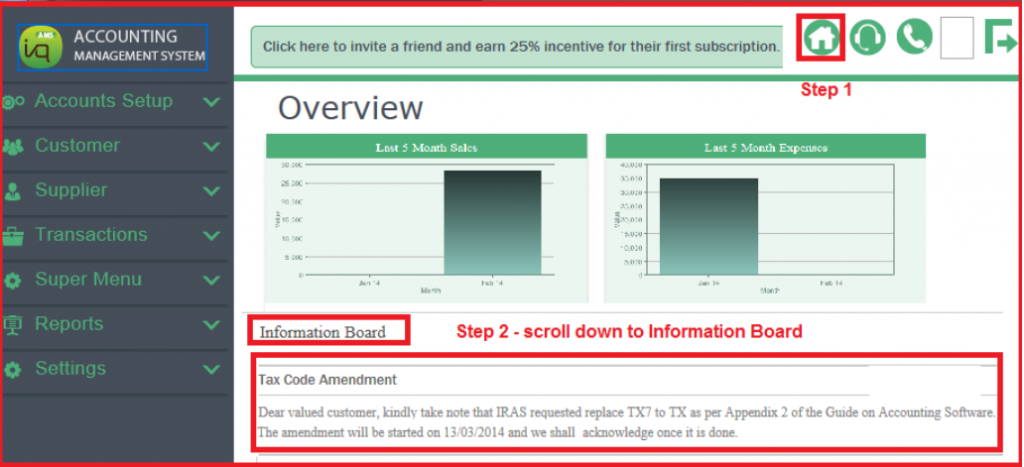
Look out for Netiquette Announcement (update change of GST Tax %, if any).
At AMS home page, click Information Board to view Netiquette annoucement.
User is allowed to edit the tax rate