Supplier Invoice
Supplier Invoice features at AMS Asia has no purchase order or stock profile, features or functions.
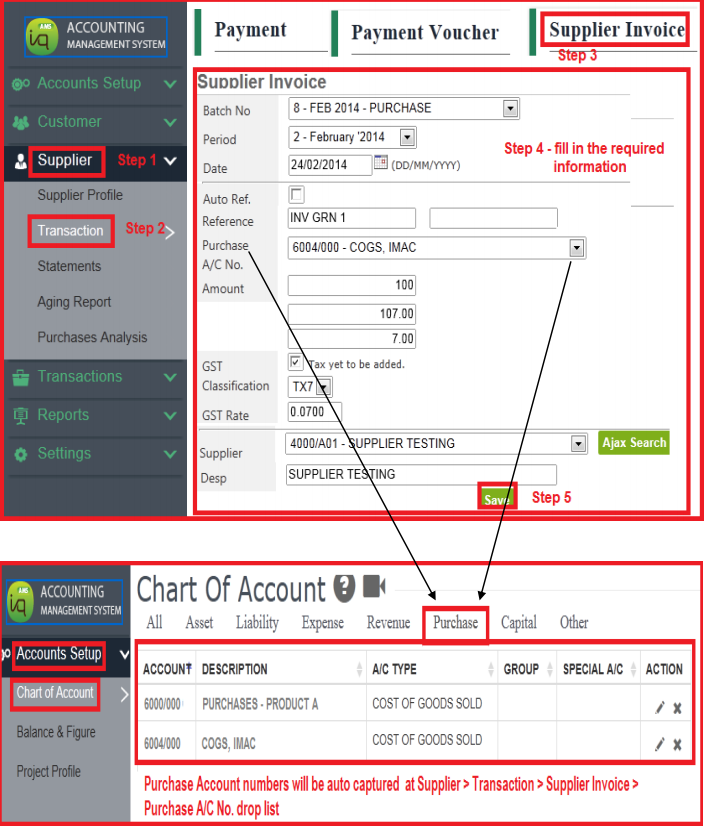
The double entries at “Supplier Invoice” are pre-set as follows : –
Debit Entry → Purchase Code (allow to select)
Credit Entry → Supplier Code (allow to select)
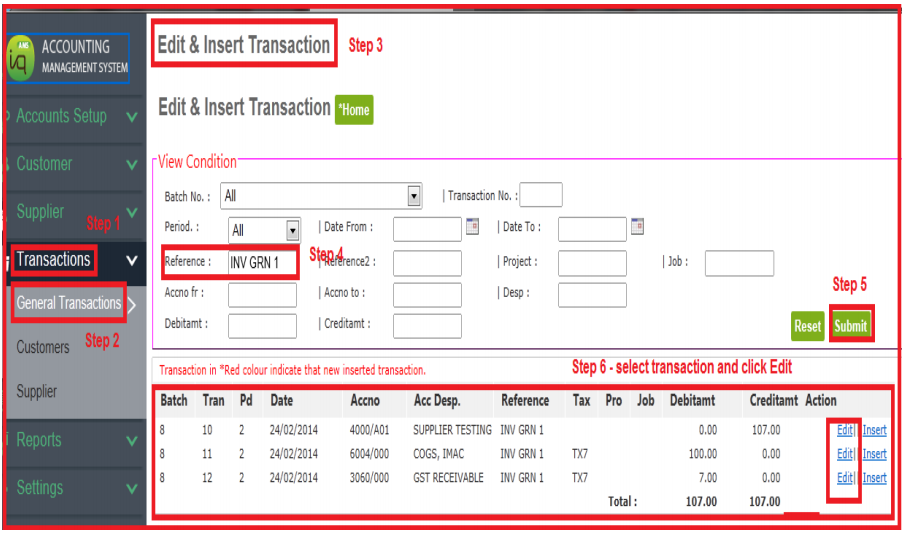
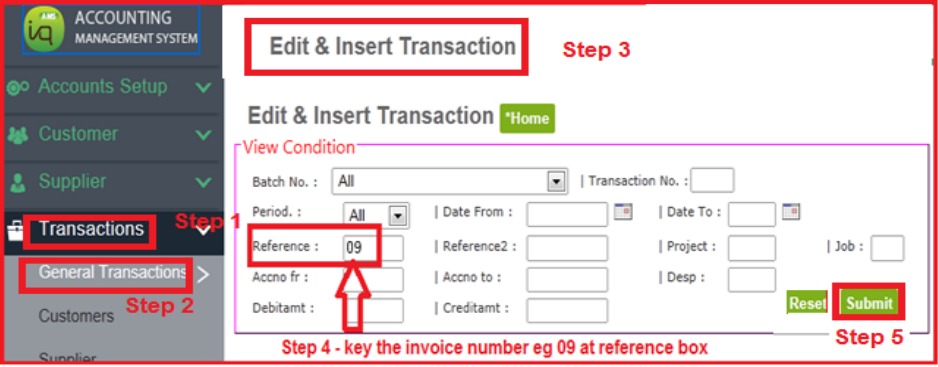
However, user can still edit the account codes at Transactions > General Transactions > Edit & Insert Transaction.
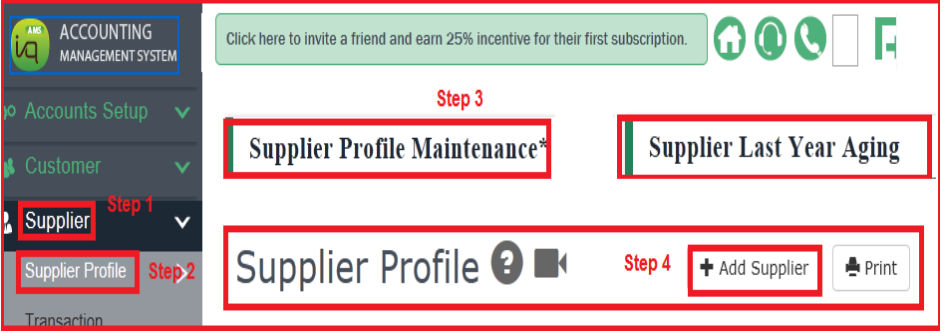
1) First, create supplier profile
2) To add details of supplier invoice
3) To edit details of supplier invoice