Recover Transactions (Edit/Delete Updated Bills)
Once a bill has been completely updated, it can’t be edited nor deleted.
Updated bills are marked with a “Y” in status.
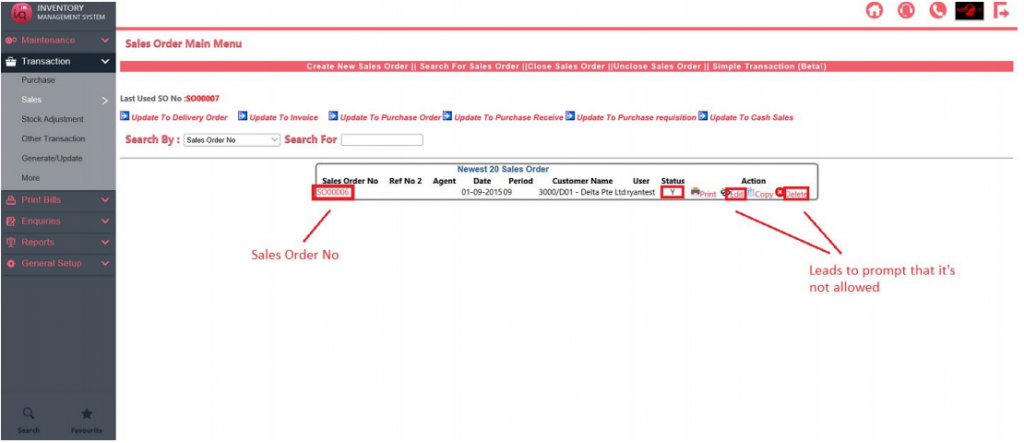
To make any changes to the bill, you have to delete the bill it was updated to.
The details of which bills it was updated to can be found by clicking on the Transaction No, in my example, the Sales Order No SO00006.
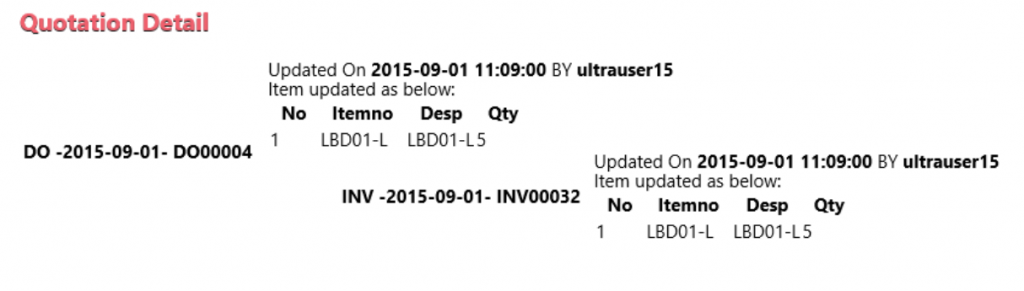
You can see that Sales Order SO00006 has been updated to Delivery Order DO00004.
Delivery Order DO00004 was subsequently updated to Invoice INV00032.