Year End Process
Payroll in-charge (administrator) can do payroll year end on their own.
All users must logout to avoid data corrupt during year end process.
This is to close the whole year’s transactions (January to December) and it is an essential
procedure that must be done before user can proceed to the next following year.
The effect of year end process will be as follows :-
a) delete all ex-employees with pay status “Non-Active”. (will not appear in new database)
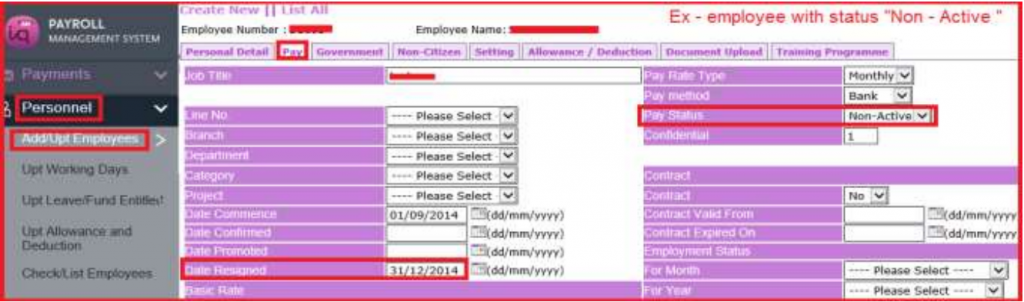
b) Set yearly reports figures to 0 (zero).
c) Change to the new calendar year.
d) Auto update of Singapore CPF rate and Community fee formula (if there are changes).
1) Payroll in-charge to make sure that all December transactions has been completed and the necessary reports are correct and printed out.
2) Proceed with December month end process
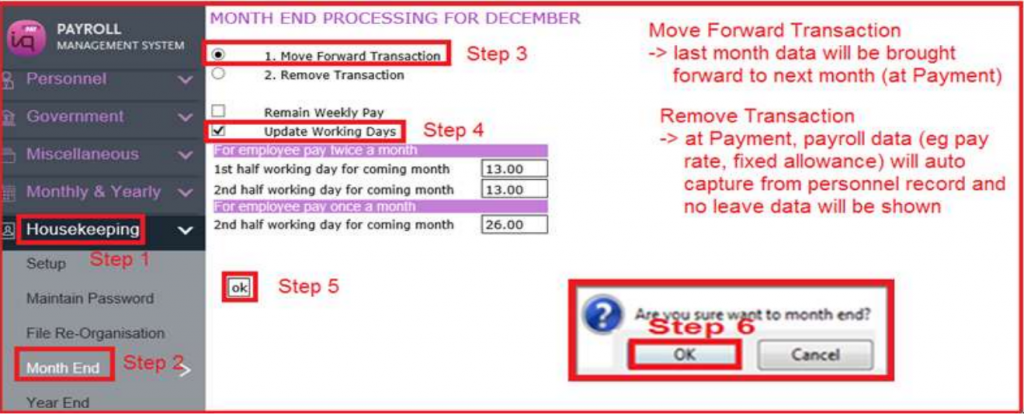
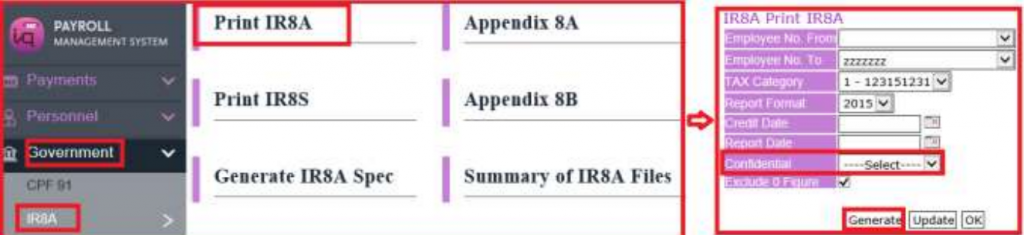
3) After Decemember Month End process, payroll in-charge can generate and print IR8A.
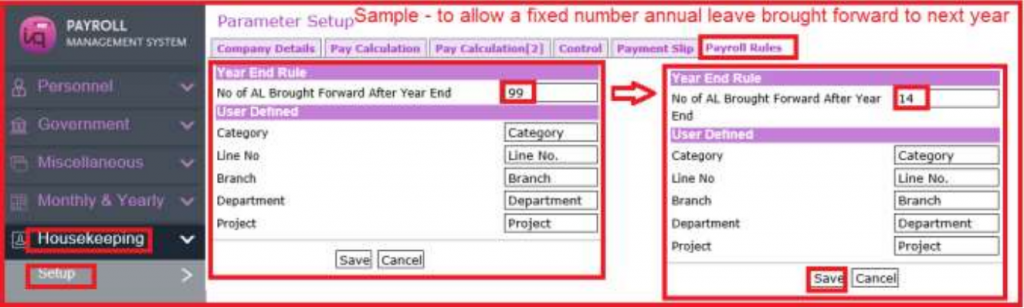
4) Sample guide – a fixed number of Annual Leave brought forward to next year (if applicable)
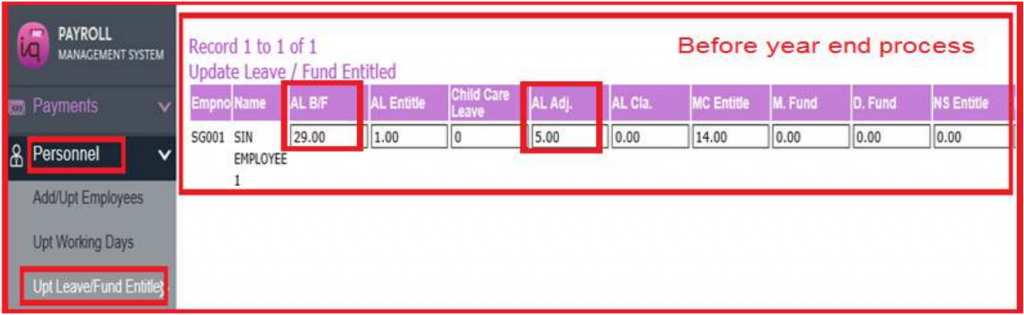
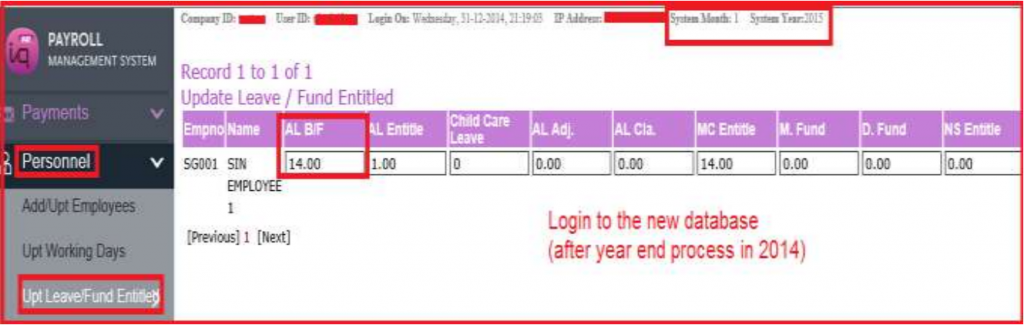
5) Proceed with year end process
All users must logout to avoid data corrupt.
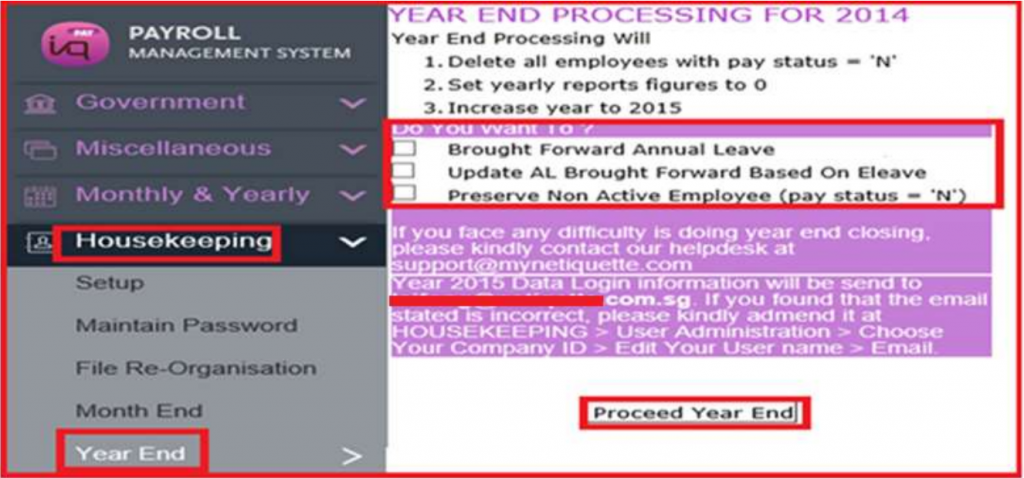
Only the payroll in-charge who do the year end will receive the below email.
Option to tick brought forward annual leave , if applicable.
Option to tick all ex-employees with pay status “Non-Active”. (will appear in new database)
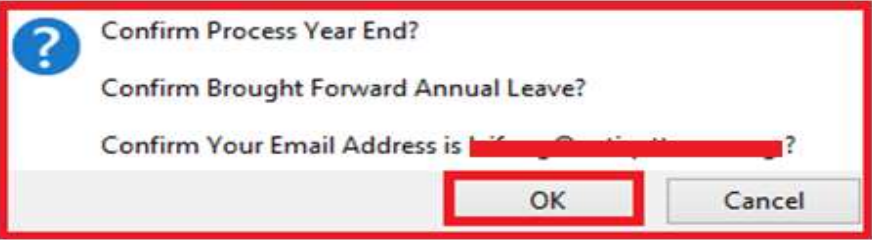
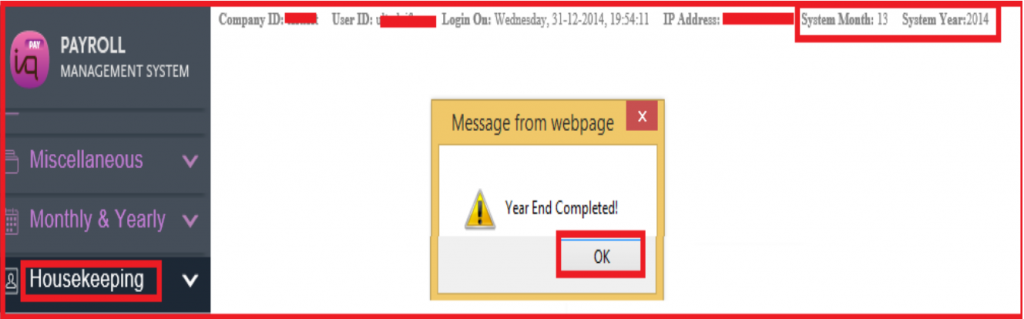
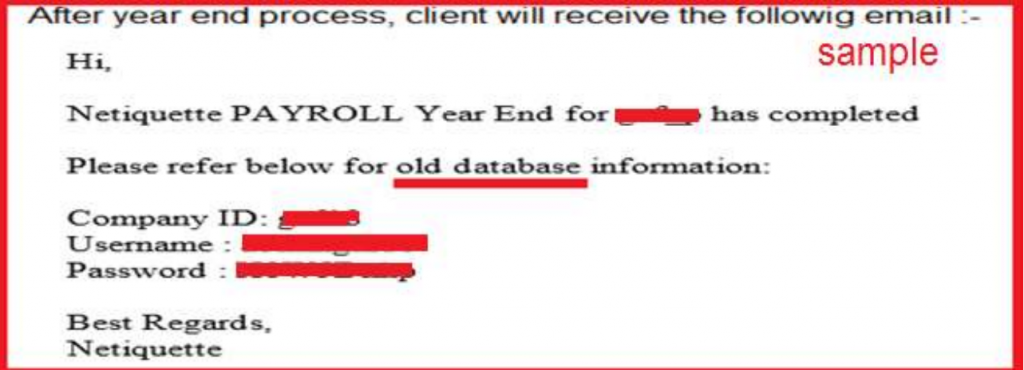
The payroll in-charge can login to the last year old database with the above email’s password .
6) After year end process complete, payroll in-charge to logout and login.
New database will be same co id ( eg testtest ).
Old database will be same co id plus last year (eg testtest14).
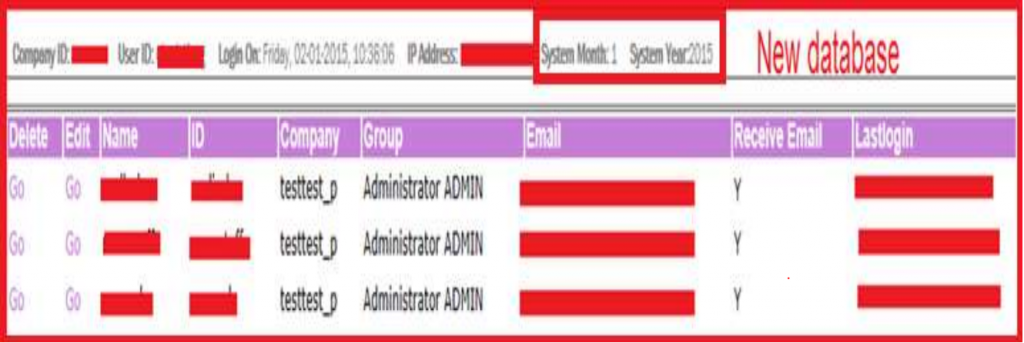
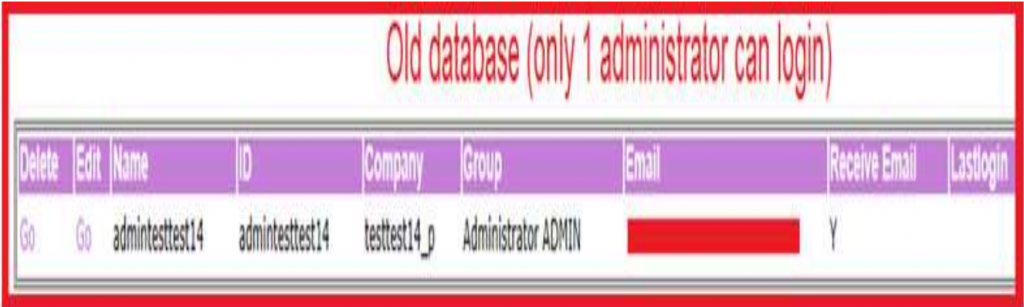
7) Payroll in-charge (Administrator) can login to last year old database and print reports.
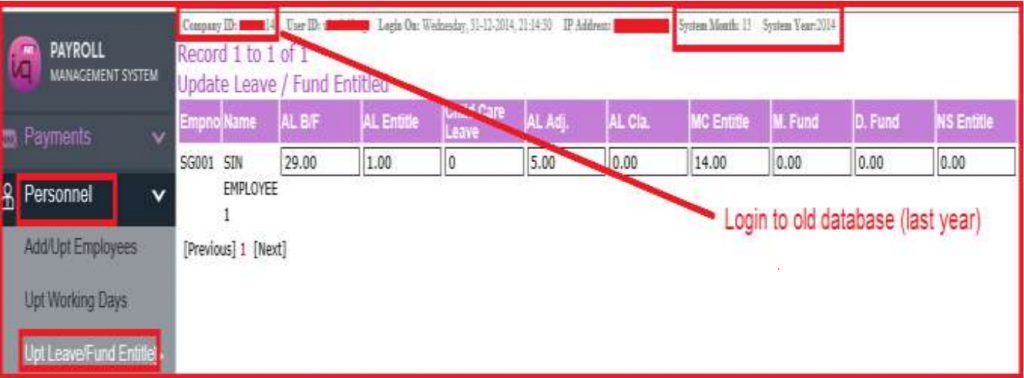
8) Payroll in-charge (Administrator) can login to last year old database to edit data
After that, payroll in-charge has to manually pass the necessary journal entries in last year accounting database as the edited expenses in Profit & Loss and Balance Sheet are affected.
9) Staff who resign in the current year eg Dec 2015
Payroll in-charge still need to print IR8A for staff who resign in the current year .
Have to change Non-Active in 2016 after year end closing as resigned staff is still paid in Dec 2015.