Stock Value Post To AMS
1.) Post to AMS
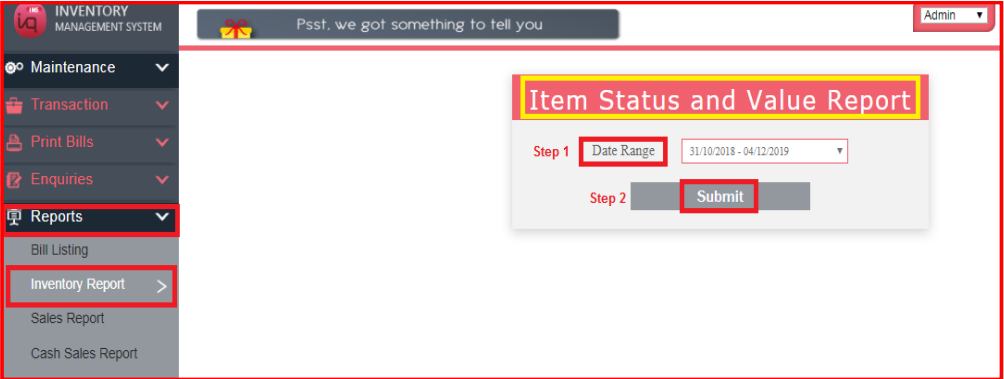
Navigate to Reports – Inventory Report – Stock Value – Item Status and Value
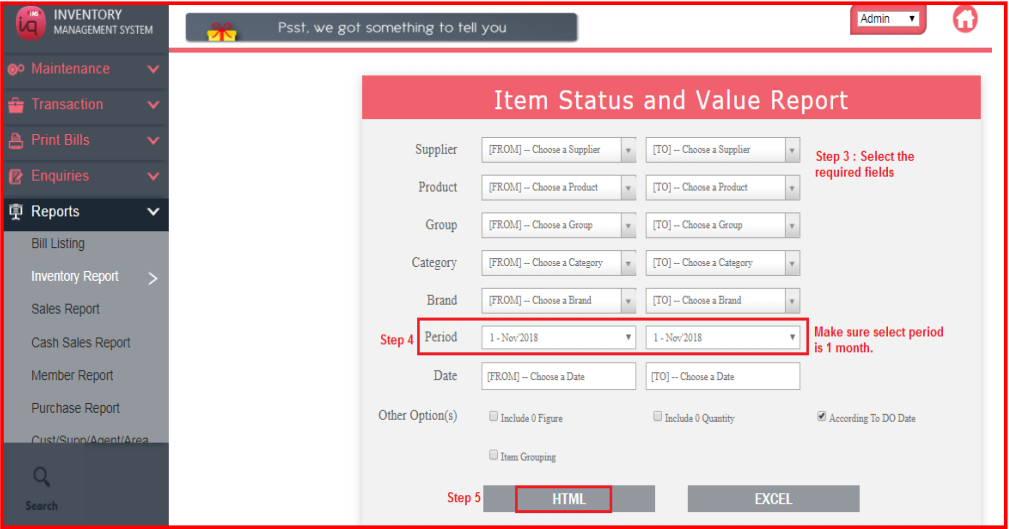
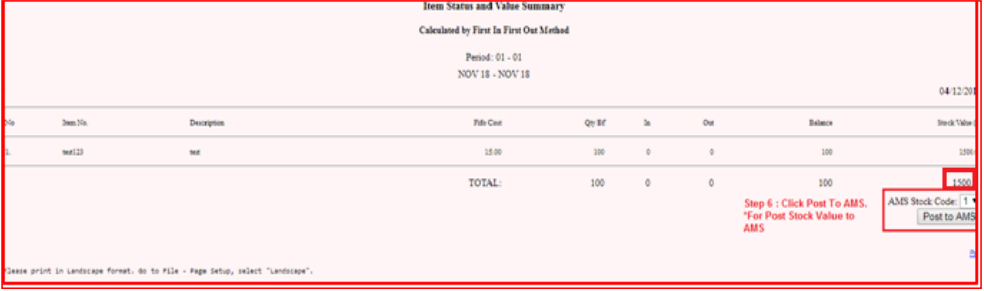
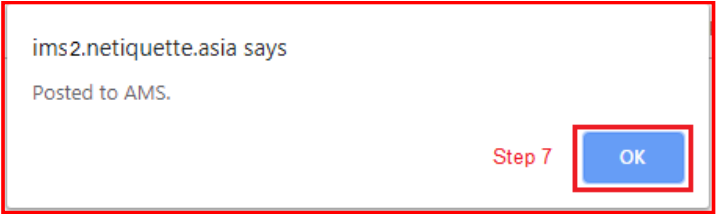
After Step 7 Please login to AMS check the stock Value.
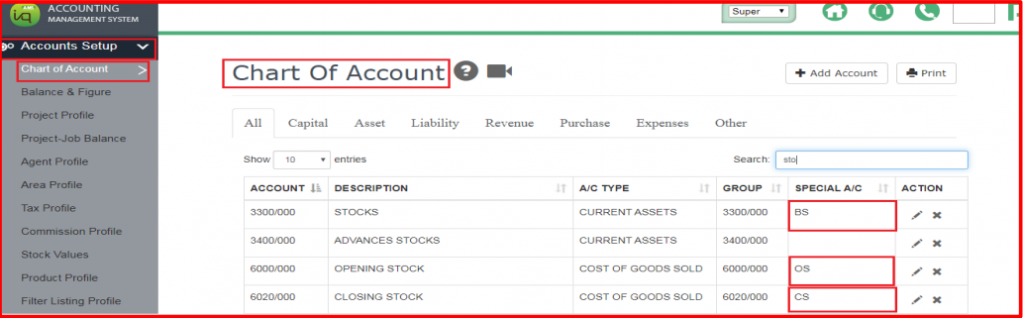
Navigate Account Setup > Chart of Account
Please create stock Code and set special Account Balance sheet (BS), Opening Stock (OS) and Closing Account (CS)
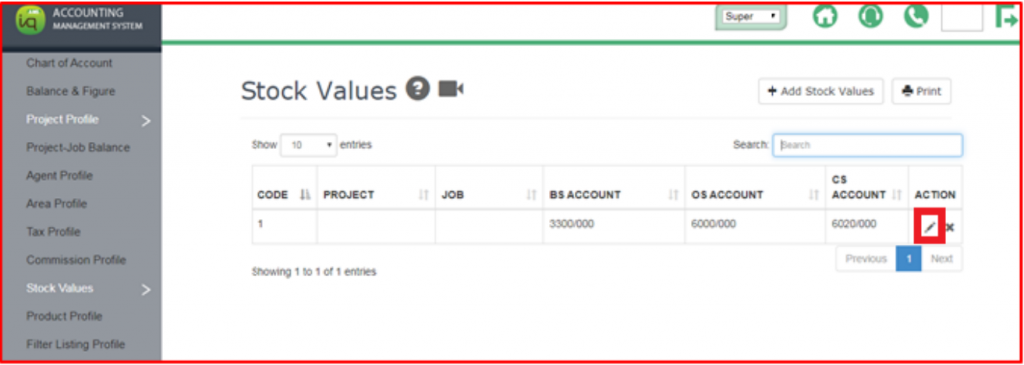
Navigate Account Setup > stock Values > Add Stock Values
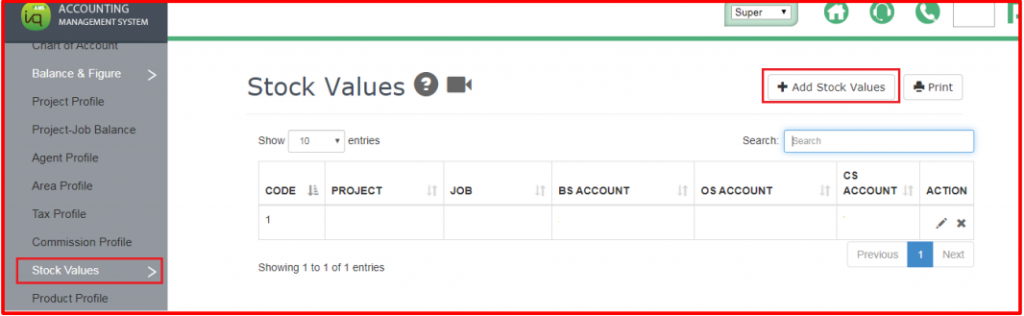
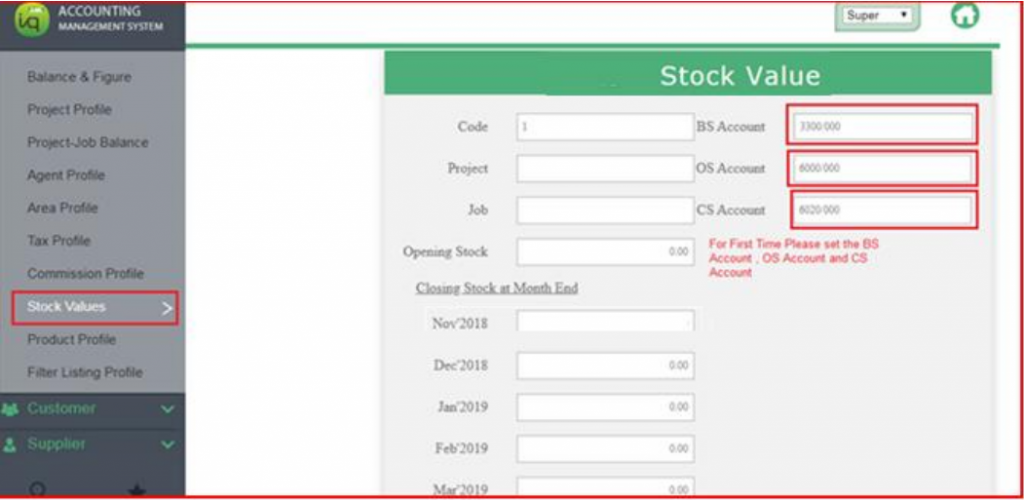
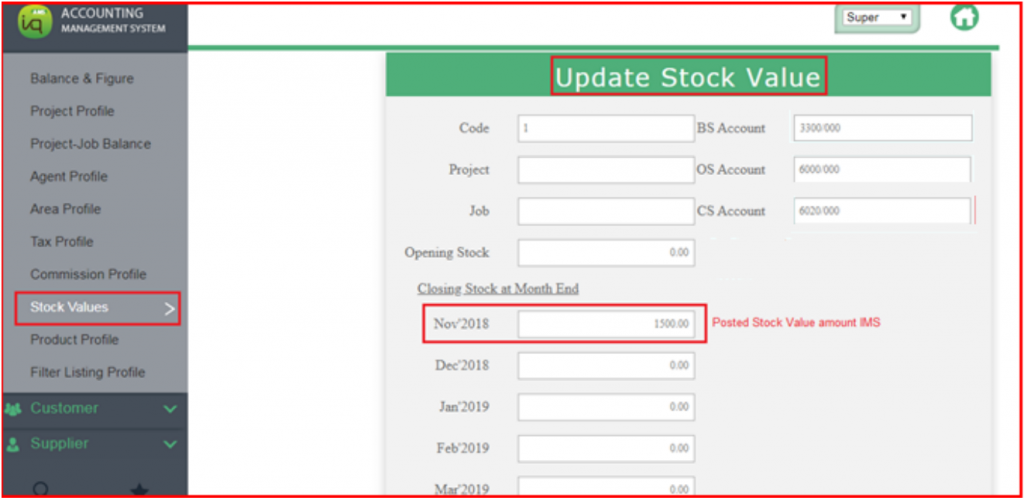
For Check Posted Stock Values from IMS
Navigate Account Setup > Stock Values > Click Edit in Actions