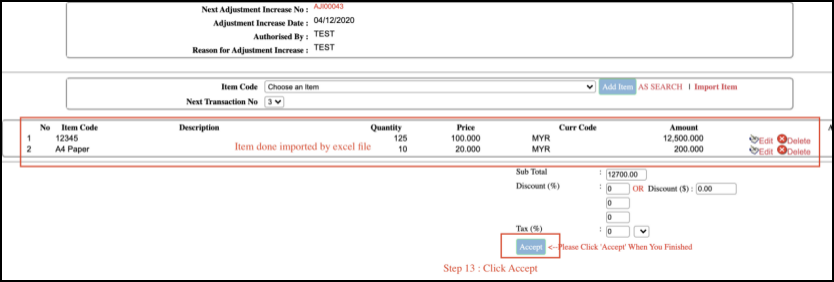
Stock Adjustment
Important Notes – Before Create Adjustment Transaction.
1 – User requires self calculate the stock increase or stock decrease quantity.

For example :
Current Stock Balance : -100
Actual Stock Balance : 25
Stock Increase Quantity : 125
2 – For stock increase, create transaction under Stock Adjustment Increase.
3 – For stock decrease, create transaction under Stock Adjustment Decrease
Create Transaction
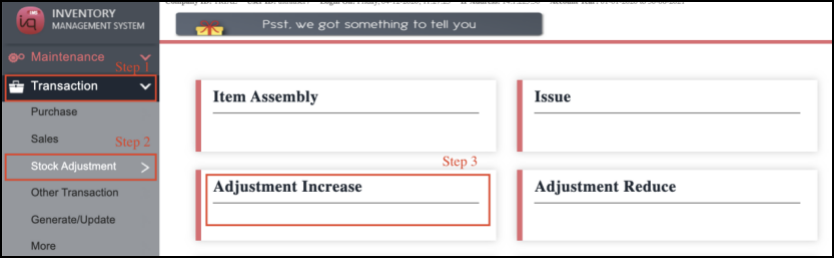
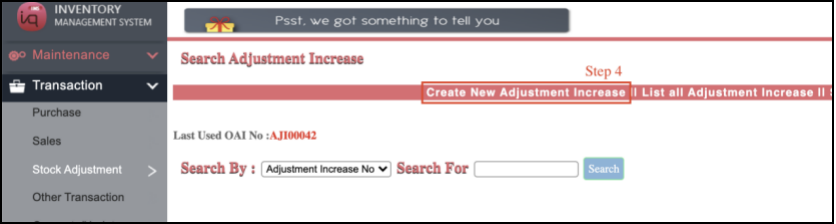
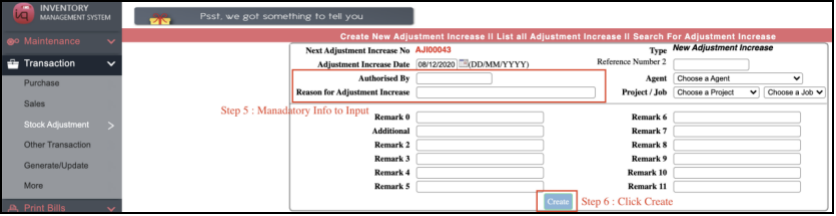
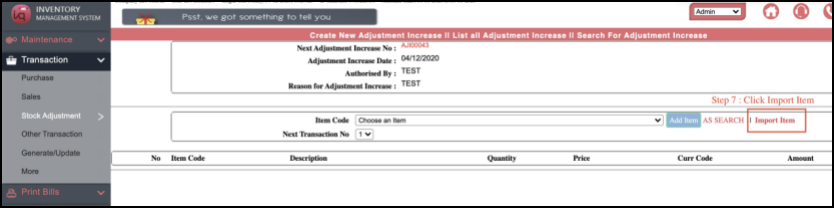
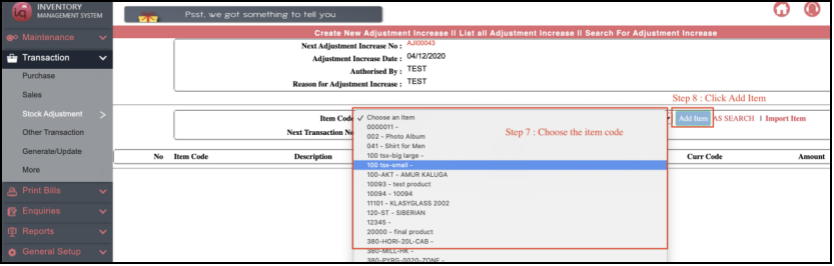
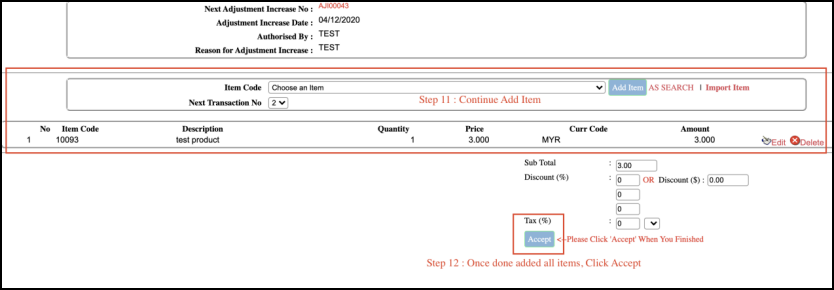
2 Add Item Method (Step 7 onwards)
Method 1 : Normal Add Item

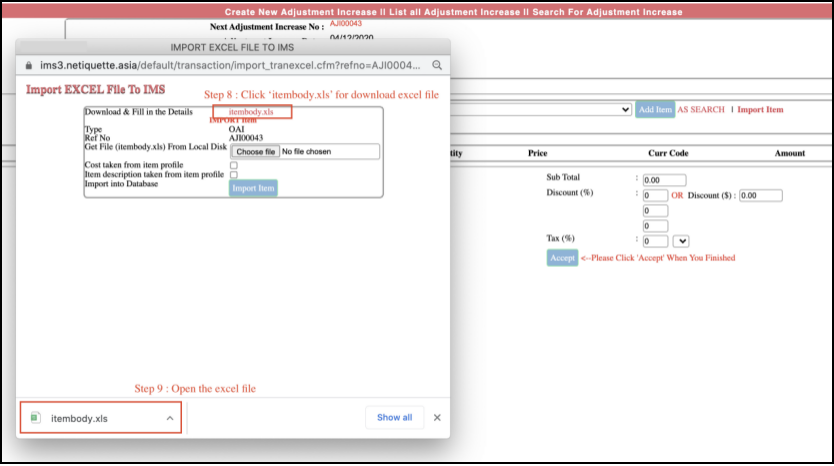
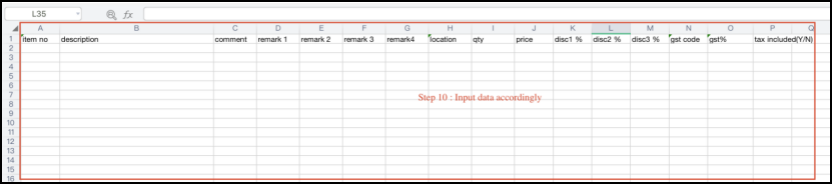
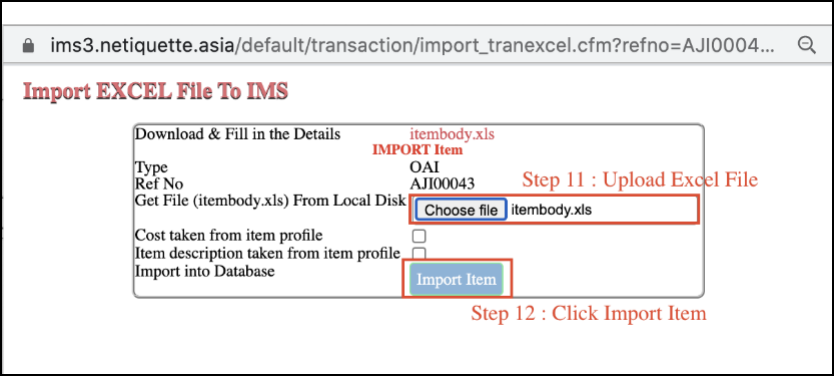
Method 2 : Use ‘Import Item’ excel list - Bulk Upload