Set Minimum Selling Price
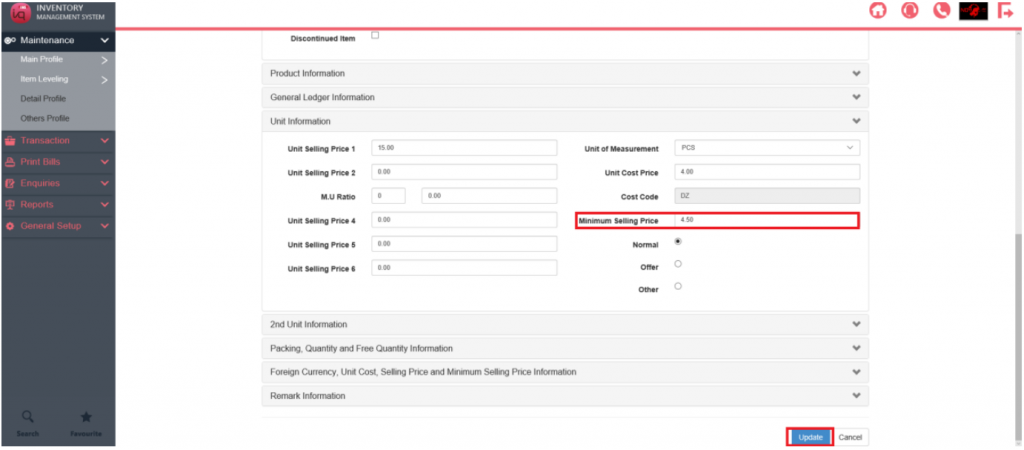
To set the minimum selling price for a Product, navigate to Maintenance – Main Profile – Product
Profile and edit the Product.
Under Unit Information, fill up the Minimum Selling Price.
Then click on Update.
Then, navigate to General Setup – General Information Setup – Dealer Menu.
Check Minimum Selling Price Control.
Then click on Update.
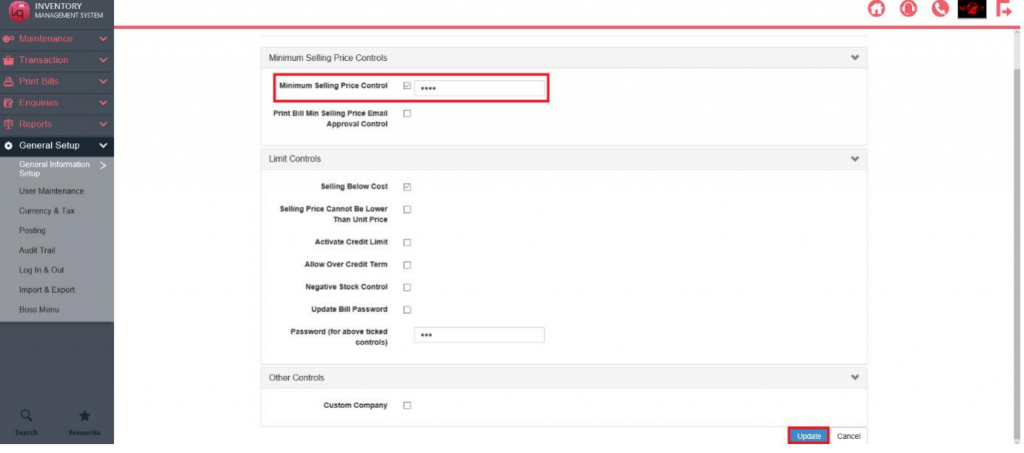
User will not be able to enter a figure below minimum selling price in Sales Transactions.