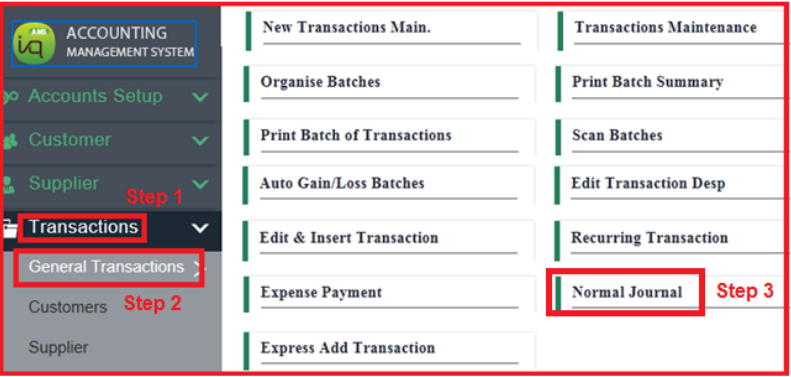
Normal Journal
1) Auto Ref. (to set auto running number)
Tick Auto Ref. The blue table will appear.
To select → select the Ref No. and click Select. The next ref no. will appear.
To add → Fill in the Descp., Ref. no. and click Add.
To delete → select the Ref No. and click Del.
To edit → select the Ref No. and click Edit.
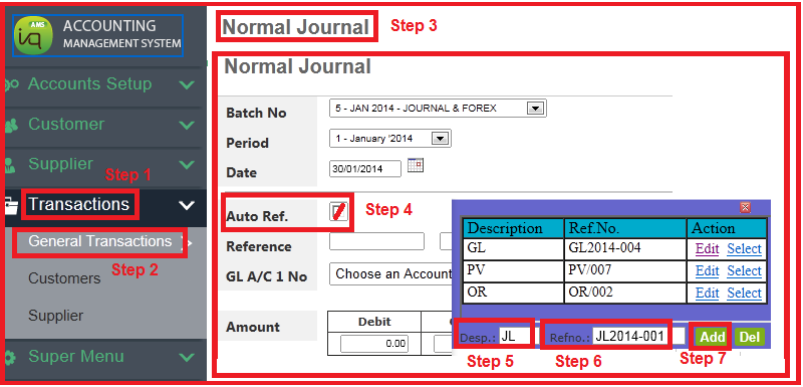
2) To enter details of normal journal
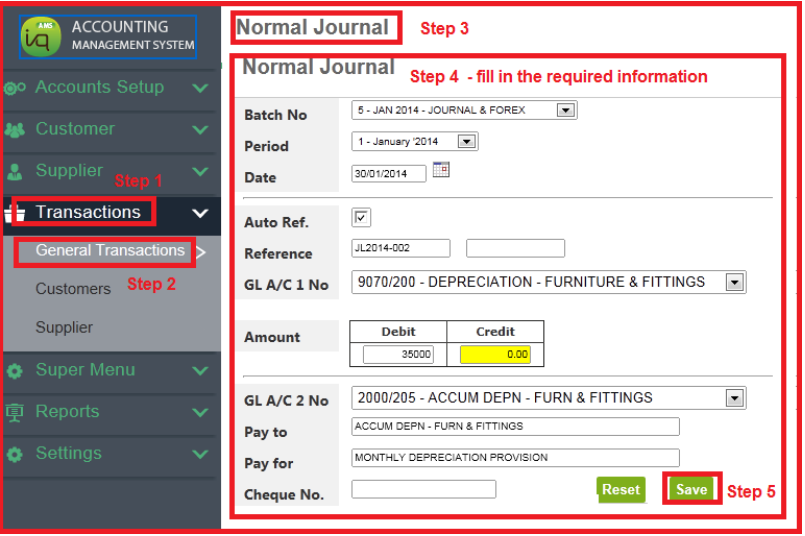
Once saved, debit and credit entries auto post to respective account codes.
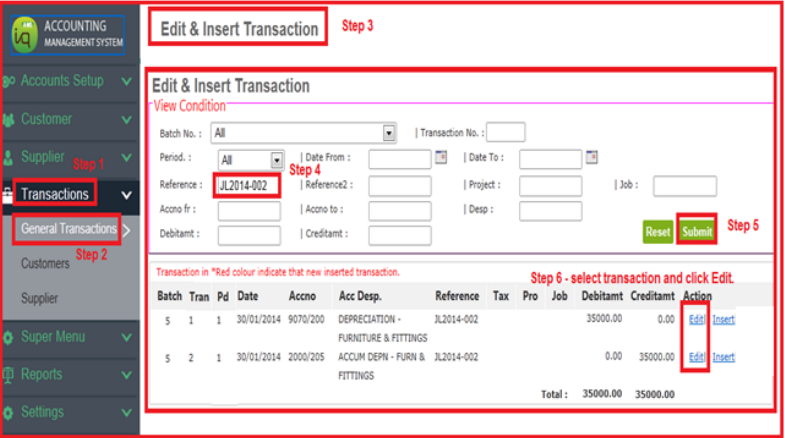
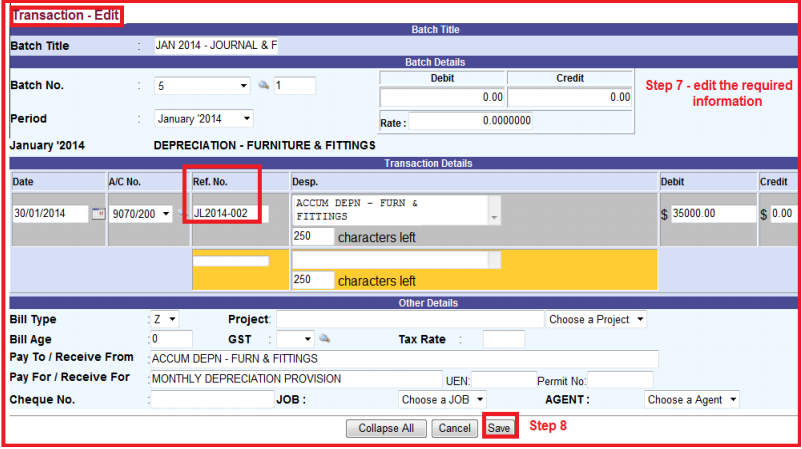
3) To edit posted transactions
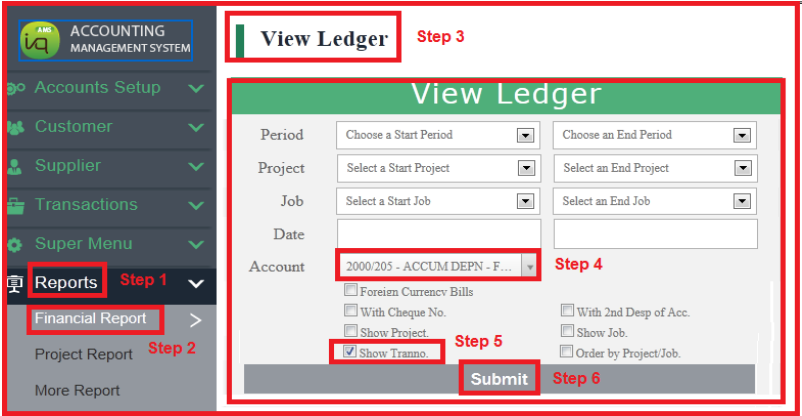
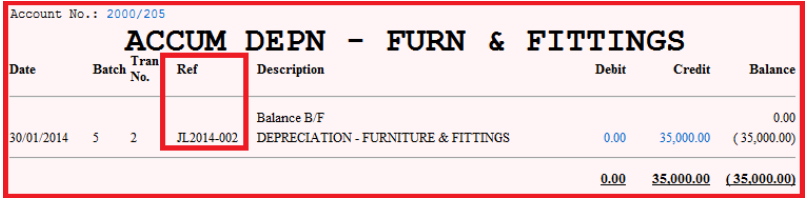
4) To view Ledger
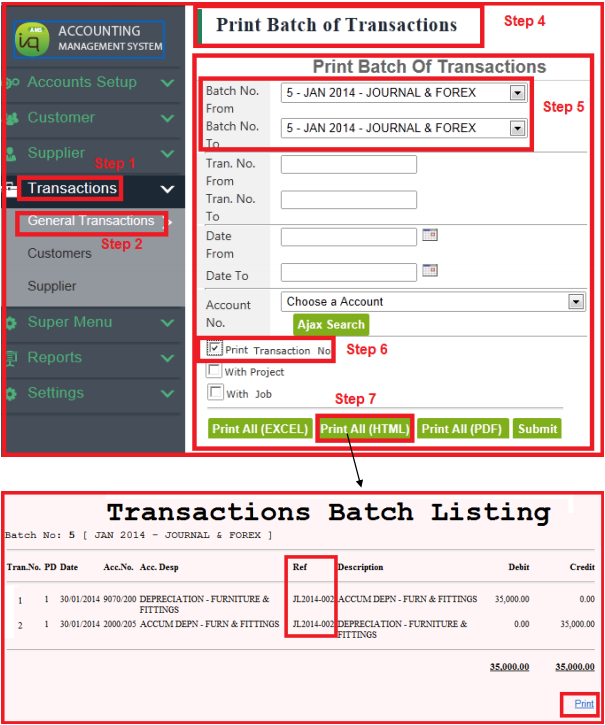
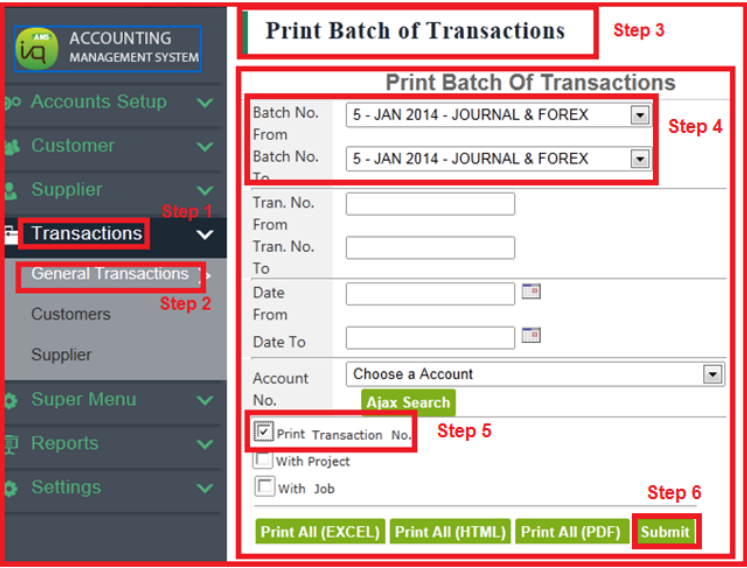
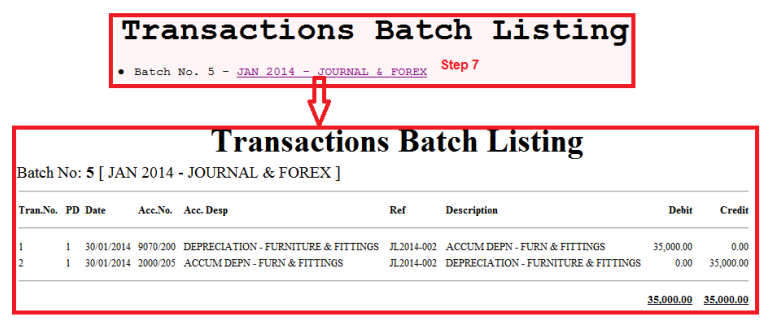
5) To print normal journal