Multi Locations Transactions
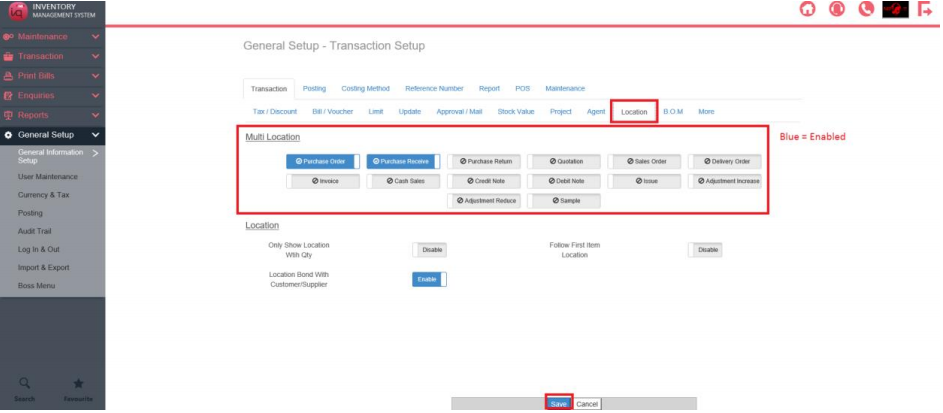
To enable Multi Locations in a transaction, navigate to General Setup – General Information Setup – Transaction Setup and click on the Location Tab.
Then click on the Transactions which Multi Location are allowed.
Click on Save.
For the affected bills, instead of entering a number in Quantity directly when adding an item in a transaction, the user have to click on Multi Location
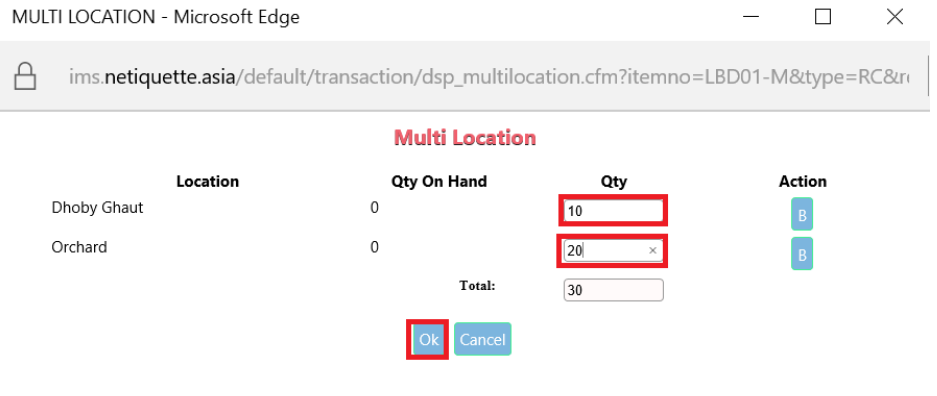
A popup will then appear.
Key in the Quantity for each Location.
Press Ok to confirm and continue with the transaction as per norm.