Foreign Worker Levy (FWL)
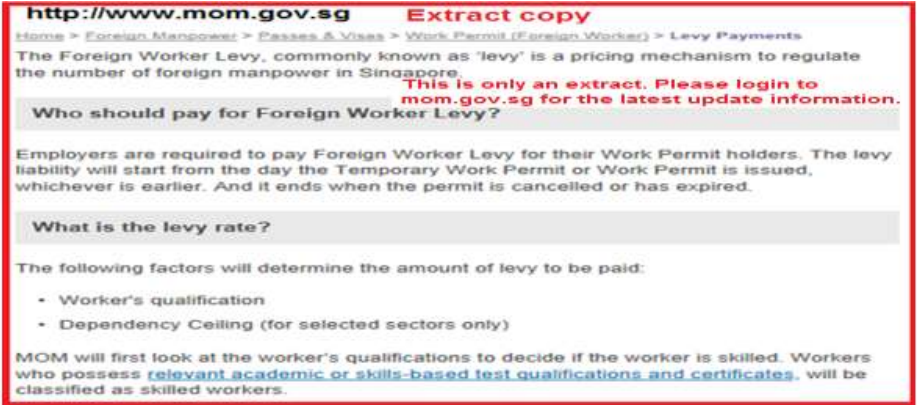

1) FWL formula is pre-set in Netiquette payroll system
User must print copy of FWL before month end (system do not trace back).
After month end or year end process is done, FWL cannot be edited
However whenever there is a rate change, Employer has to click “Update
New FWL Rate” to effect the changes for FWL formula.

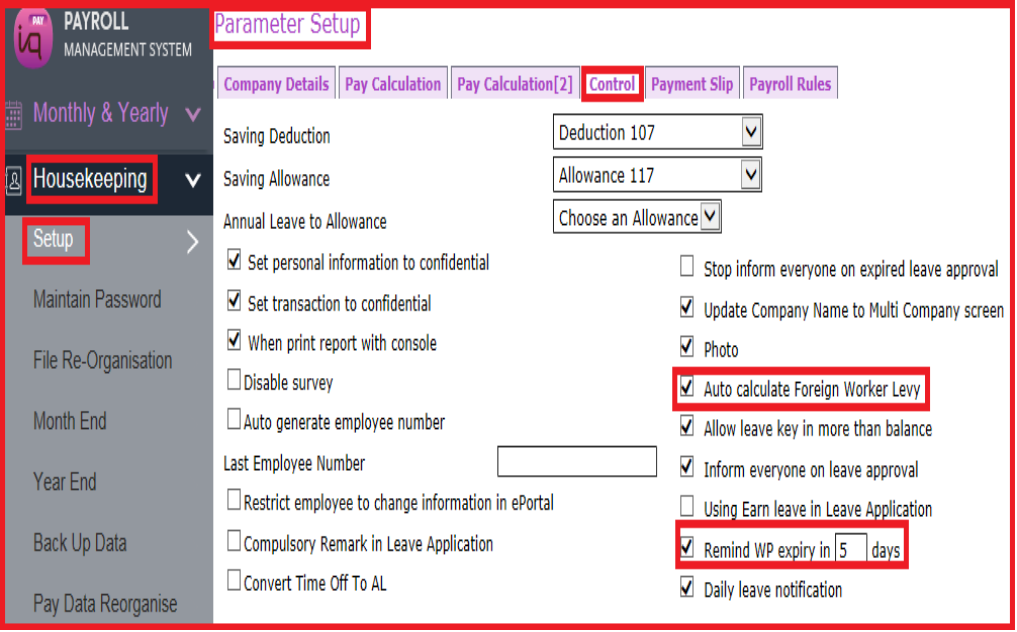
2) Setting at Housekeeping (tick Foreign Worker Levy)
Option to untick Auto Calculate Foreign Worker Levy for those companies who levy amount is through auto monthly giro deduction by the statutory board.
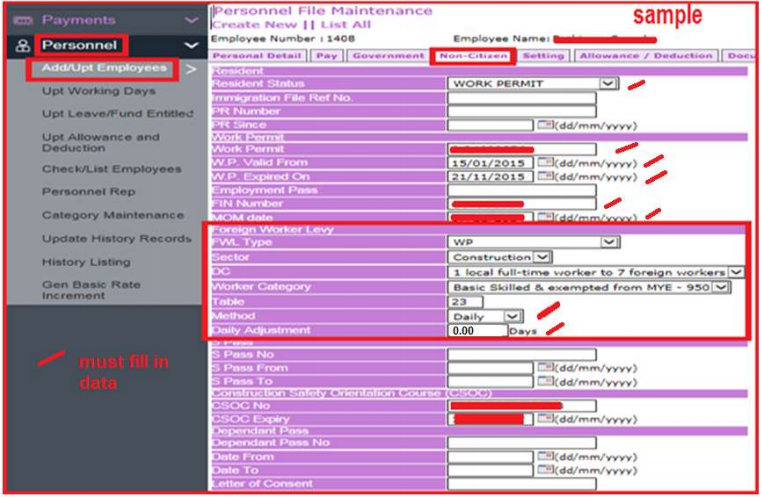
3) Settings at Personnel > Employee Profile
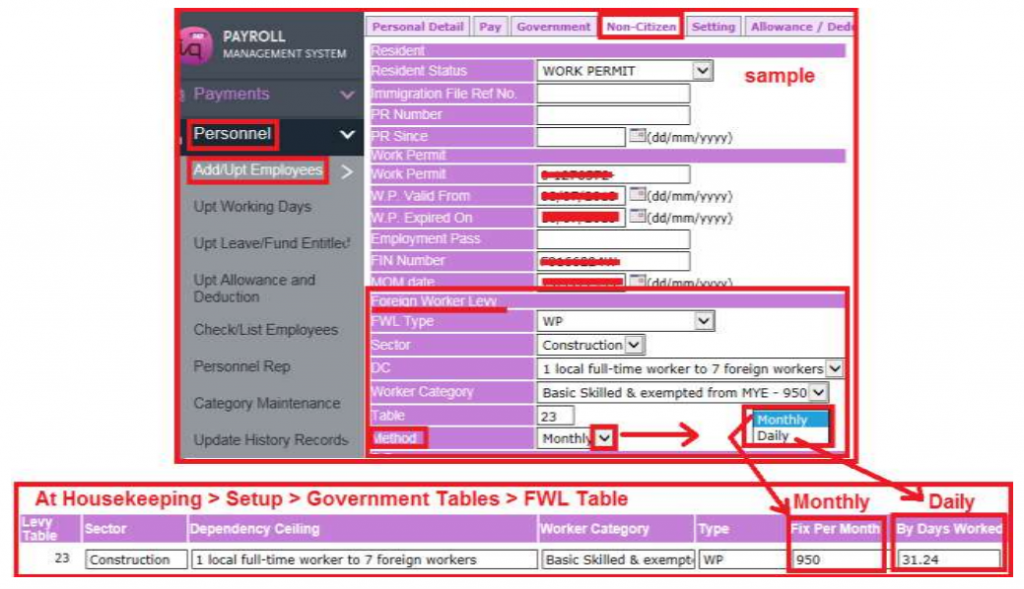
4) Pro-rata Foreign Worker Levy calculation for new employee (not full month)

The Daily Adjustment Box is for levy adjustment (increase or decrease).
After (eg January) month end process > (then in February) at employee profile, payroll in-charge has to change from Daily Method to Monthly Method.
5) Pro-rata Foreign Worker Levy calculation for employee with expired pass
During the month of expired pass > at employee profile, payroll in-charge has to change from Monthly Method to Daily Method.
6) CPF Form 91
Kindly note that if payment by giro, you may not have to declare foreign worker levy in form CPF91. Please reconfirm with CPF Board.

7) To print Foreign Worker Levy Report
Must process pay first before print FWL report
Payroll in-charge must print copy of FWL before month end
(as system do not trace back).
After month end or year end process is done, FWL cannot be edited.

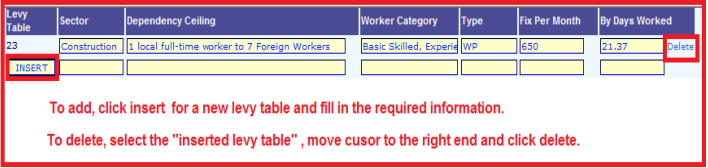
8) Employer can create another new FWL levy table in Netiquette payroll system
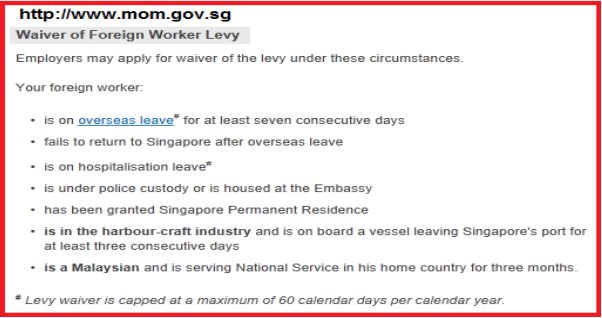
Foreign Worker Levy is subject to changes eg waiver.
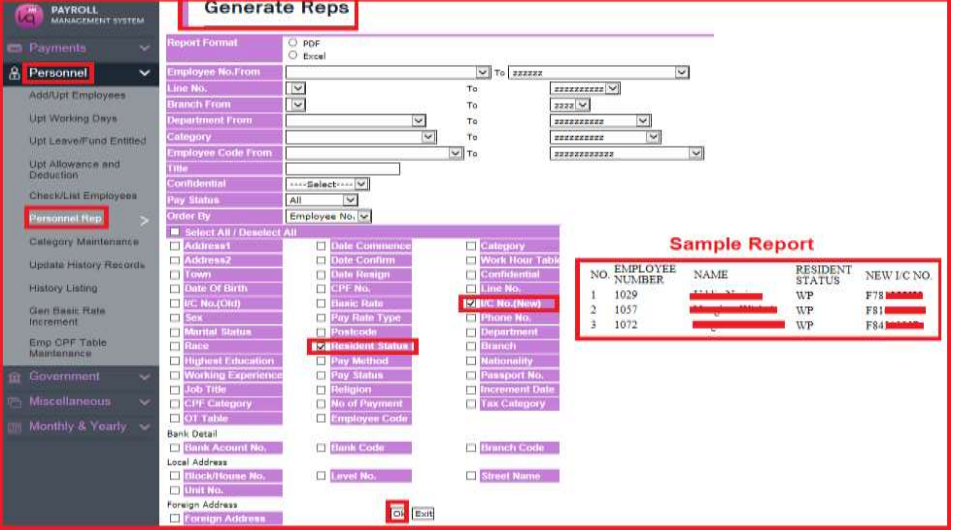
9) Print Foreign Workers Details